Look up a member.
See membership details, credentials, and work history when a member calls. Staff can check the record while they’re on the phone.
MemberHall helps your office keep track of members, dispatch, and dues. Contractors can request workers and send reports. Members can check their records, pay dues, and read Local updates from their phone.
For sheet metal, plumbing, electrical, and other building-trades locals.
Who’s working for that contractor? Has that license been reviewed? Did the member’s dues payment come through? MemberHall gives your staff a place to look.
See membership details, credentials, and work history when a member calls. Staff can check the record while they’re on the phone.
Check which requests and reports are waiting for review, which need corrections, and what the hall has already approved.
Members can read notices, find forms, check jobs, and update their details from their phone.
Each has their own sign-in and tools for the things they need to do.
Look up a member, review a request, or check a payment without passing files around the office.
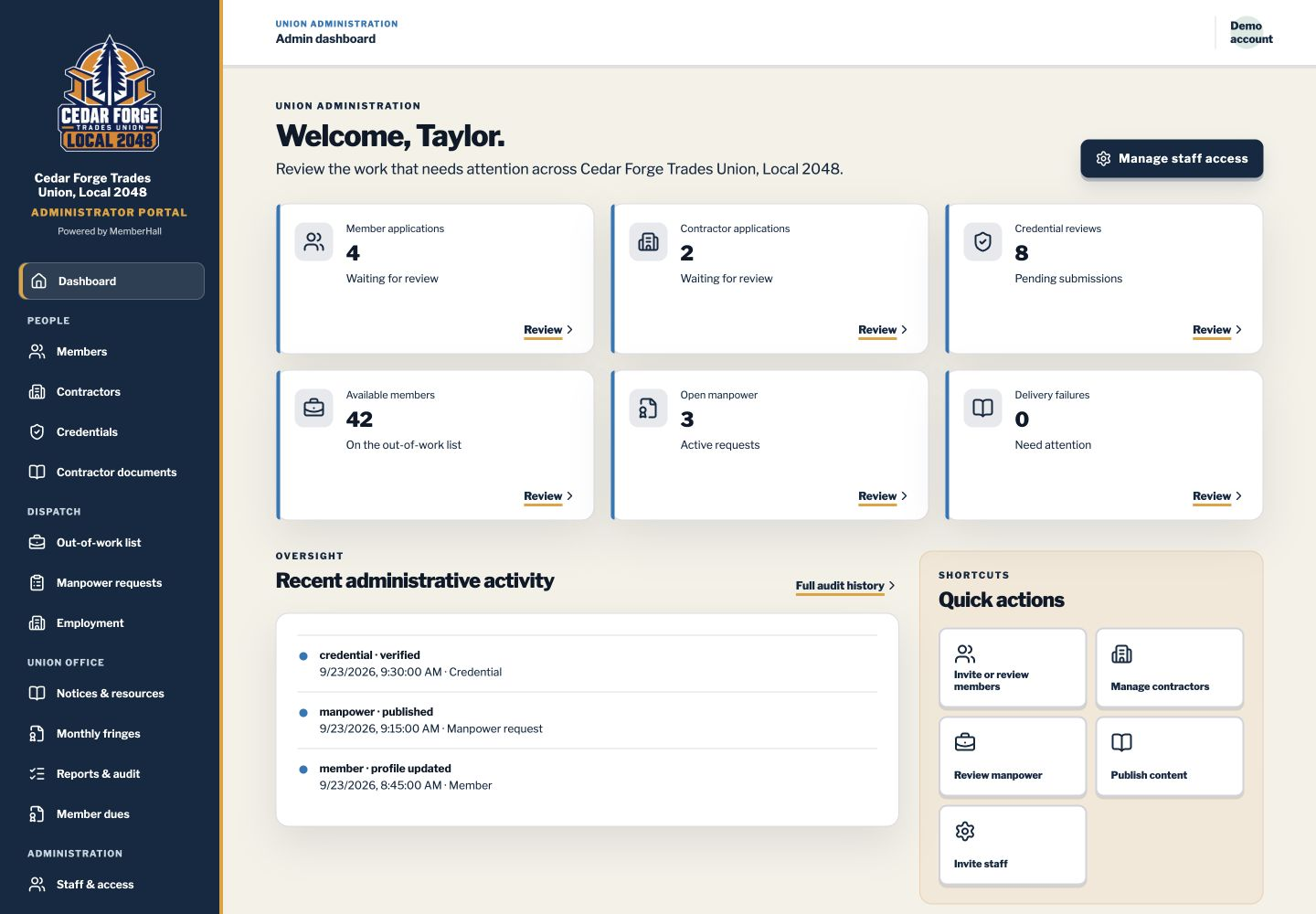
Find members in the roster, review applications, and update classifications. When bringing in a roster, check the preview before saving any changes.
Check licenses and certifications, ask for corrections, and see what’s due to expire. Supporting documents stay with the record.
See who a member works for and where they’ve worked before. Manage the out-of-work list, handle requests for workers, and record placements and approved terminations.
Set dues rates and look up payments. Review contractors’ monthly fringe reports and download the totals to Excel.
Post notices and ask members to confirm they’ve read important ones. Share wage sheets, agreements, and forms with the people who need them.
Choose which staff can work on membership, dispatch, notices, or reports. Download the reports they have access to and look back at recorded changes.
Your staff decides who is approved, where members sit on the list, and who gets placed. Office employees can have staff accounts without being union members.
Contractors have one place to request workers, send reports, and check whether the hall needs anything else.
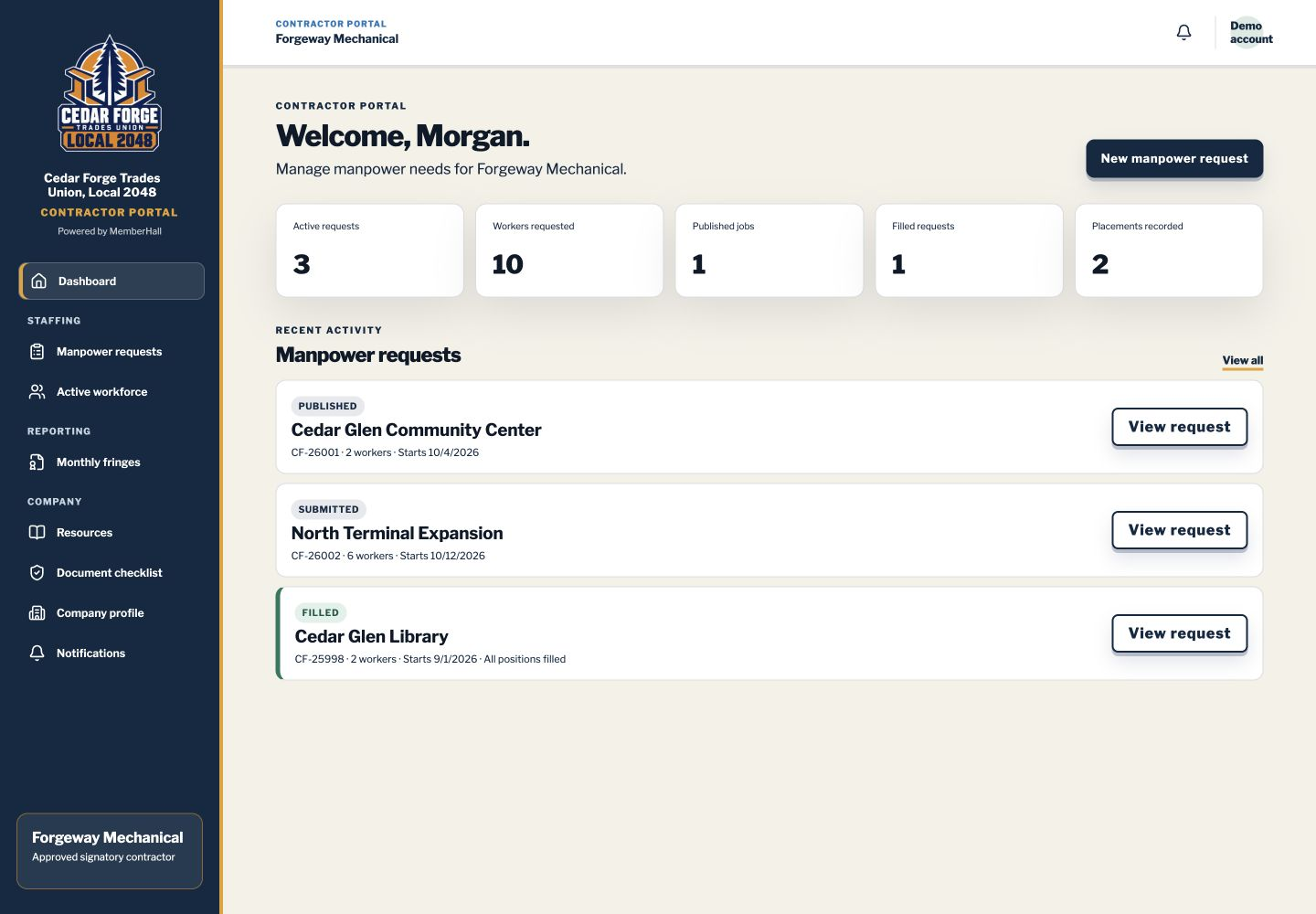
Tell the hall how many workers you need, for which jobs, and when. Add shifts, required qualifications, and instructions for the jobsite. Save a draft if you’re not ready to send it.
See whether a request is being reviewed, needs changes, or has been filled. Check how many workers are still needed.
See the members currently working for your company. When someone’s job ends, send a termination slip to the hall and choose whether to email the member a copy.
Enter employee hours and contribution choices, then send the report to the hall. Make corrections if asked and look up earlier reports.
See which documents the Local needs, upload completed agreements and other files, and read the hall’s response.
Keep the right people listed for dispatch, payroll, and compliance questions. Find forms and guides from the Local.
Contractors see their own company’s records. The hall still handles dispatch, and members’ personal phone numbers and email addresses stay private.
Members can check their place on the list, see available jobs, pay dues, and find out what’s happening at the Local.
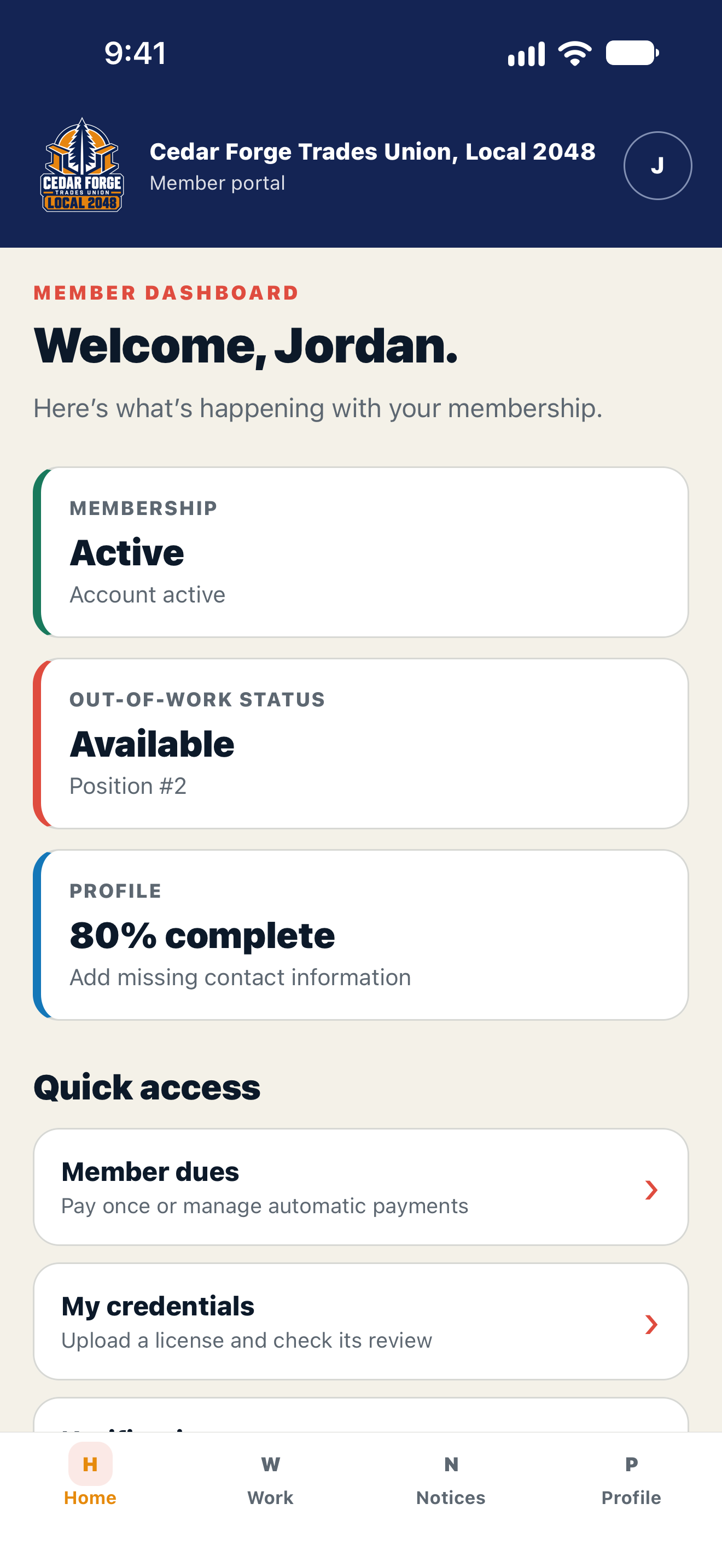
Explore the member appCheck your membership and out-of-work status. When your Local enables online dues, pay once or set up automatic payments and see when you’re paid through.
Look through jobs posted by the hall and let staff know you’re interested. You can withdraw your interest and see the work history the hall has on file.
Send the hall a license or certification with a copy of the document. Check its review status and make corrections if staff ask for them.
Keep your contact details current and choose which emails you receive. Some changes may need the hall’s approval.
Read updates, confirm you’ve read important notices, and find the Local’s wage sheets, agreements, and forms.
Use the website to tell Dispatch about your availability or employment. Attach a document if needed, then check back for the hall’s response.
Letting the hall know you’re interested or available doesn’t give you the job or change your place on the list. Dispatch staff make those decisions.
Staff and contractors use the website on a computer, tablet, or phone. Members can use the website or member app. We’ll agree with you which features and payment options to turn on during setup.
Members can check their work status, send a credential, or read a notice without waiting until they’re at the hall. Choose a screen below to see the iPhone app.
The Home screen shows your membership status and place on the out-of-work list. It also has links to dues, credentials, and other member services.
iPhone screenshot · Made-up Local and member details
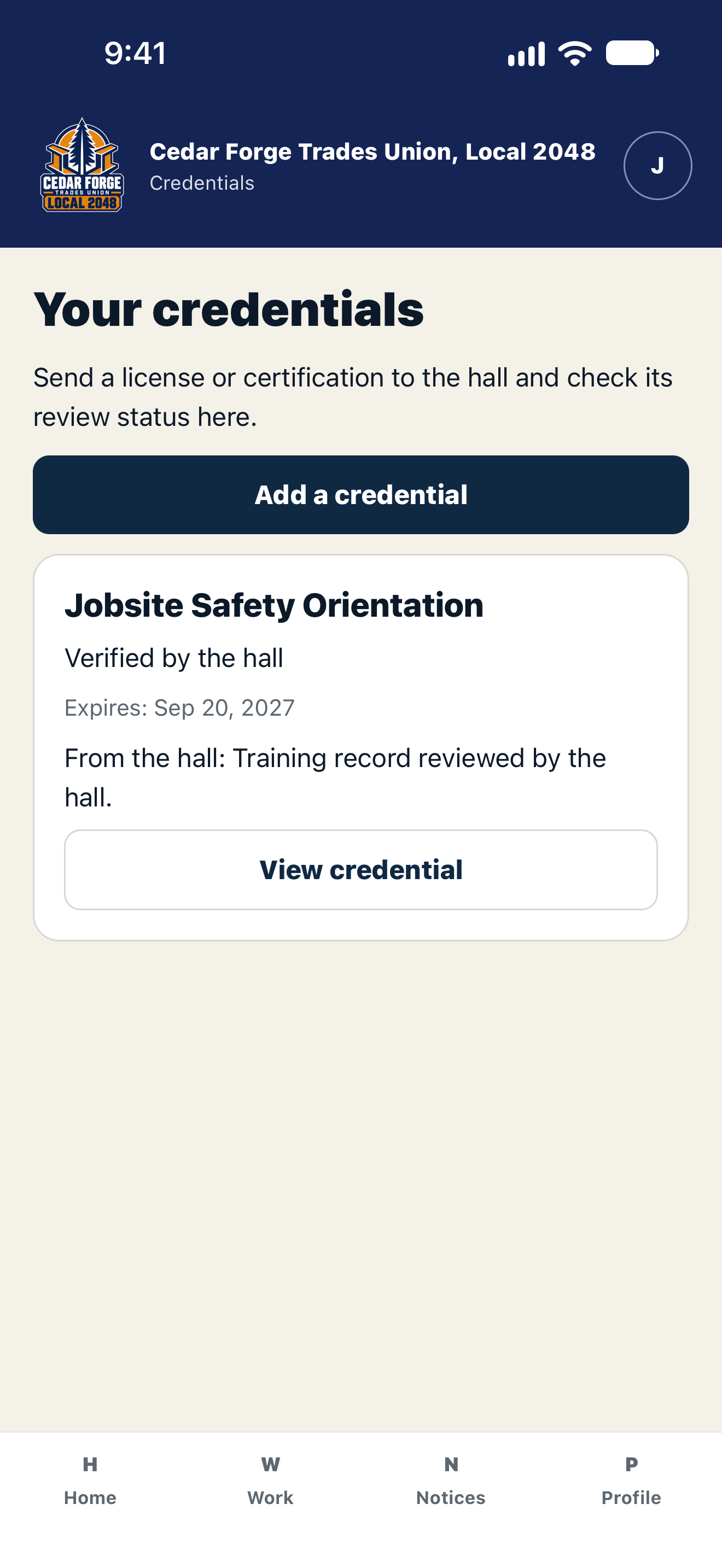
Upload a license or certification from your phone. You can see whether the hall has reviewed it and read any notes from staff.
iPhone screenshot · Made-up Local and member details
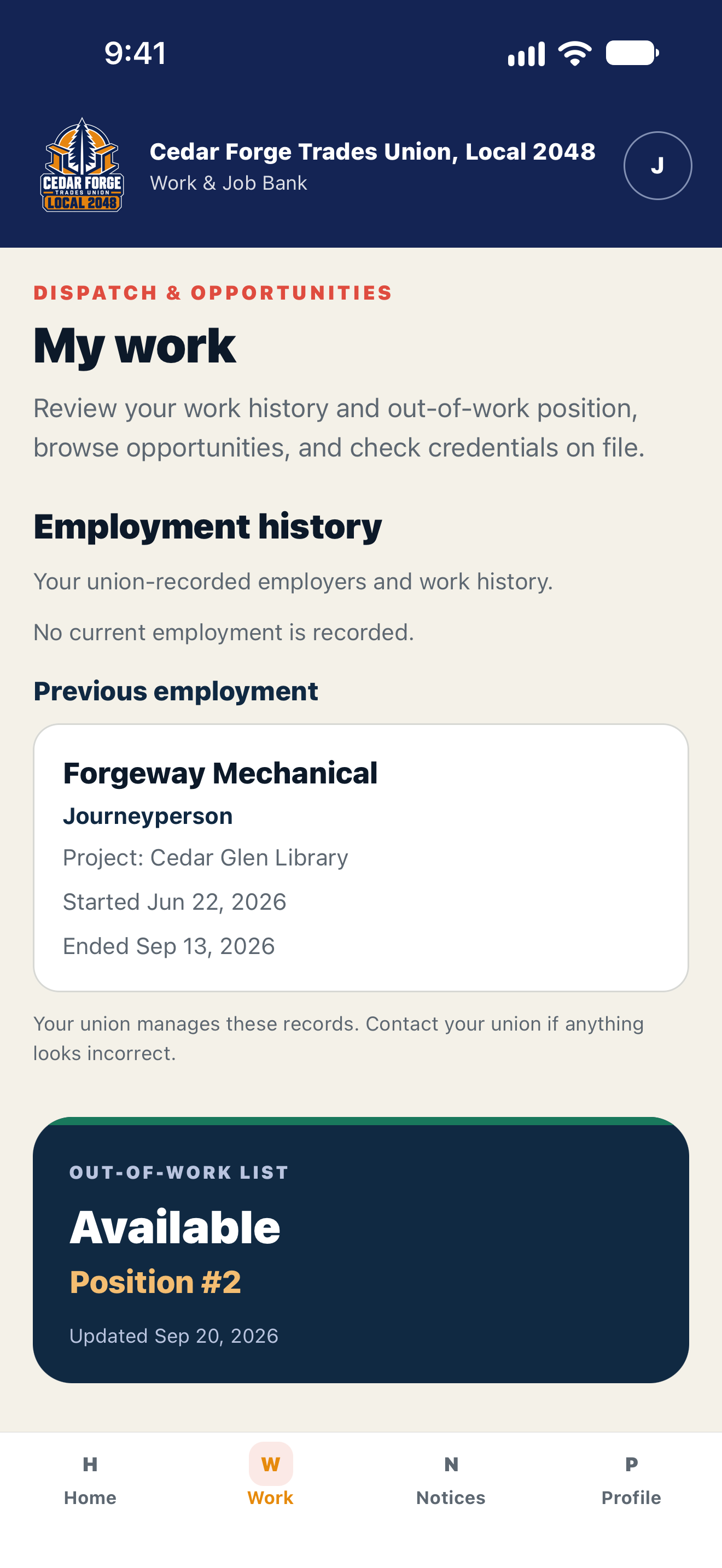
See your current employer, project, and employment dates, along with previous jobs. These are the records your hall keeps. Your out-of-work status is here too.
iPhone screenshot · Made-up Local and member details
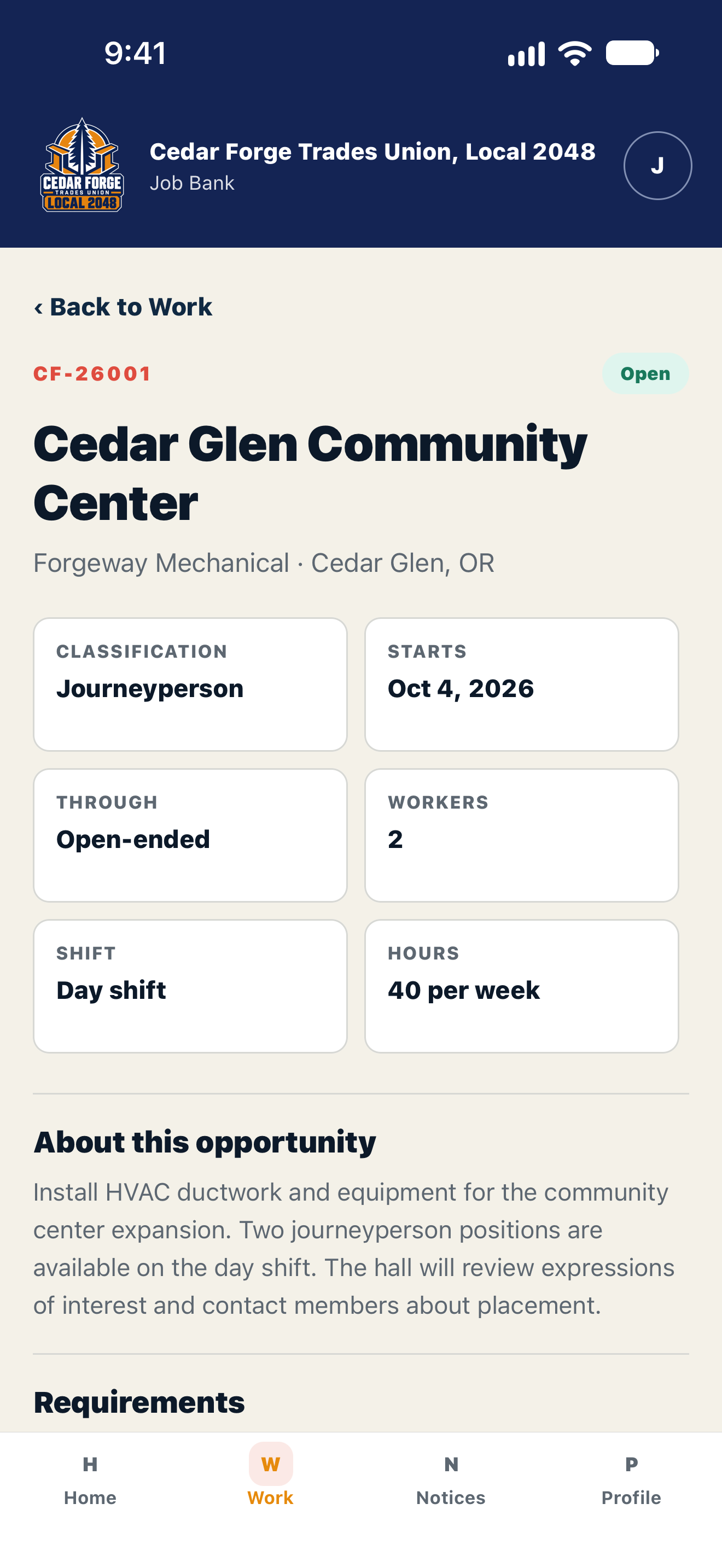
Read the jobs your hall has posted and let staff know if you’re interested. Dispatch decides who gets placed.
iPhone screenshot · Made-up Local and member details
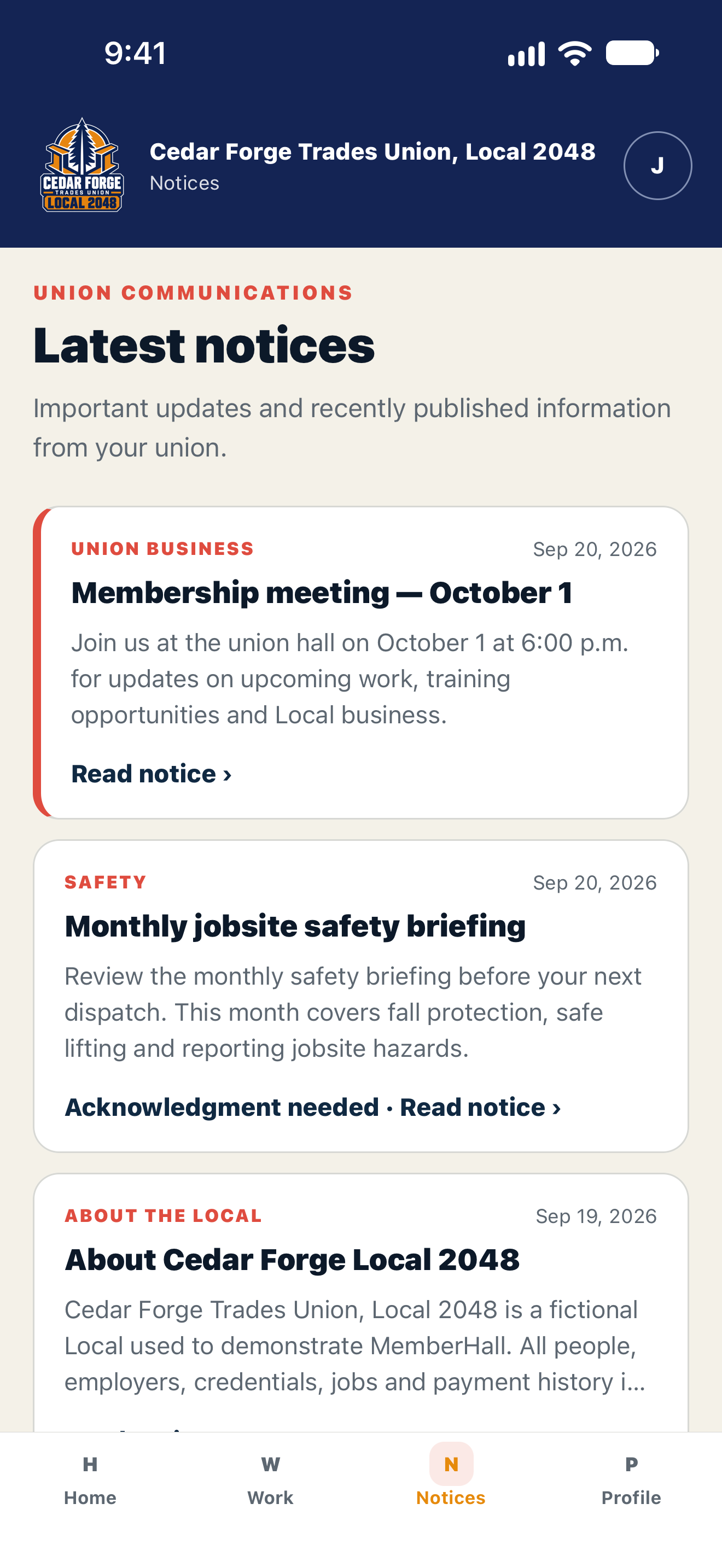
Find meeting notices, safety briefings, and other Local updates. Open a notice to read it in full, then confirm you’ve read it if the hall asks.
iPhone screenshot · Made-up Local and member details
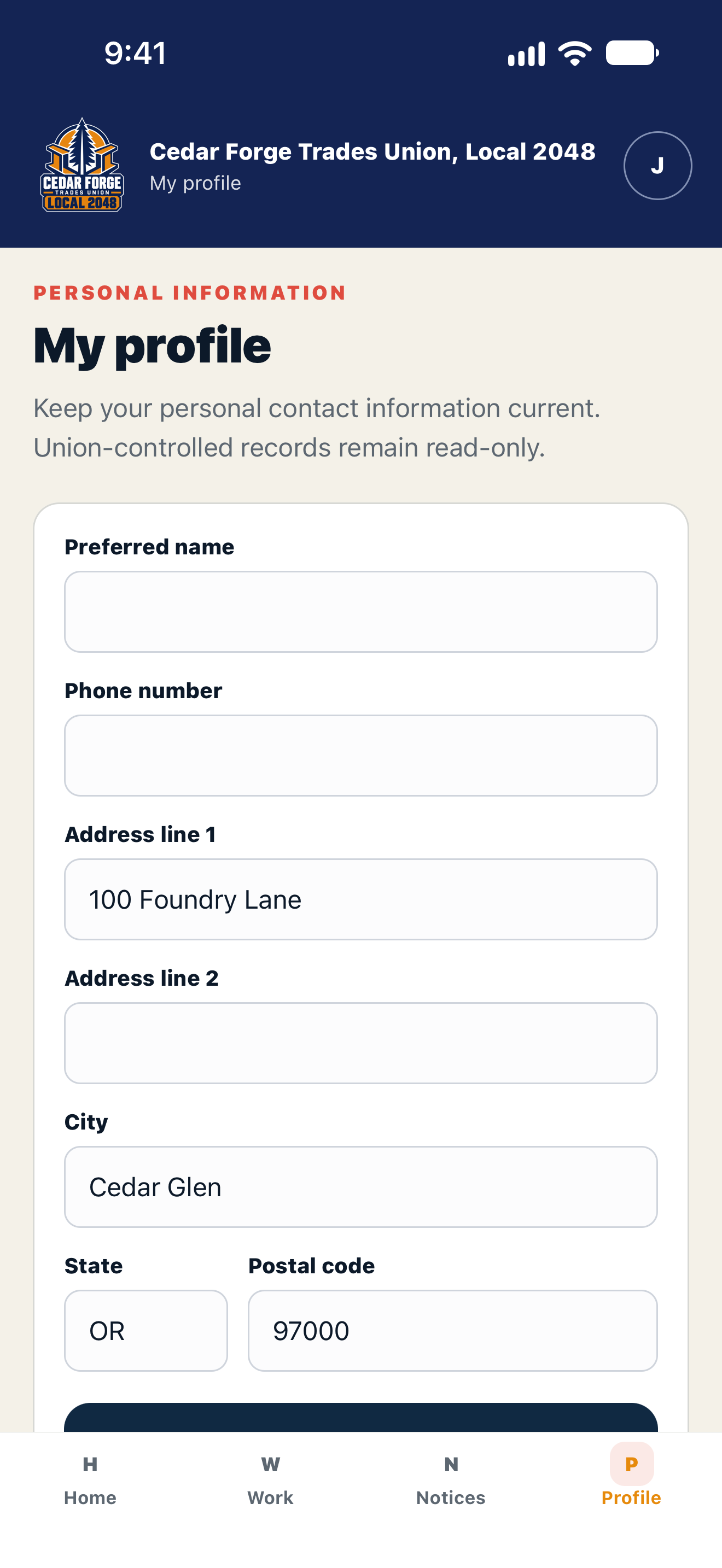
Changed your phone number or moved? Update the personal details your Local lets you edit. Staff still manage official membership and dispatch records.
iPhone screenshot · Made-up Local and member details
The app shows your Local’s name, logo, and colors. Cedar Forge Local 2048 is a made-up Local we use to demonstrate MemberHall.
Members can search the library for guides, forms, and documents their Local has shared. They can follow links and open or save supported files.
The package includes member apps for iPhone and Android. During setup, we’ll confirm when each will be available for your Local and how members will get started.
Click through the steps to see what the contractor, your staff, and members do.
Step 1 · Contractor
The contractor needs six journeypersons. They enter the job details, start date, and any skills or credentials the workers need.
The request goes to union staff for review.
Cascade Mechanical · Demo Local
Step 2 · Union staff
Staff can ask the contractor to fix or add details. When the request is approved and posted, members can see it in the Job Bank.
Your staff applies your Local’s rules and checks who is eligible. MemberHall doesn’t make that decision.
Cascade Mechanical · Demo Local
Step 3 · Member
Members read the job details and let the hall know they’re interested. Staff can see those responses when deciding who to place.
Showing interest doesn’t give someone the job or change their place on the out-of-work list.
Cascade Mechanical · Demo Local
Step 4 · Union staff
Staff choose the members and record their placements. They can see who has been placed and how many workers the contractor still needs.
In this example, three of the six positions have been filled.
Cascade Mechanical · Demo Local
This example uses made-up names and details. In a demo, we’ll show you how the actual screens work and talk through your Local’s process.
See who each member works for and how long they’ve been there. Let members pay dues online, and give contractors a place to send monthly reports and termination slips.
Look up a member’s current employer, project, classification, and start date. Their previous jobs stay in the record, so staff can see their work history too.
Members can see their own work history on the website and in the app. Contractors see only the members currently working for their company. Union staff manage the official record.
Members can pay through the website or open Member dues from the app’s Home screen. They can make a one-time payment or sign up for automatic payments at the rate and schedule your Local sets.
Payments go to your Local’s Stripe account. We help set up online dues, and each member must agree before automatic payments begin.
Contractors enter monthly hours and each employee’s contribution choices. MemberHall uses your Local’s rates to calculate what’s due to local and national benefit funds.
We’ll review your local’s report format and national-office requirements with you during setup.
When a job ends, the contractor sends the hall a termination slip. It includes the last day worked, the reason, whether the member can be rehired, and whether a replacement is needed. The contractor can also email a copy to the member.
Submitting a slip doesn’t put someone back on the list. Your staff decides when to do that.
Jeremy Carlton builds MemberHall and helps your staff get it running. You’ll know what’s included and who to call before you start.
We’ll look at how you handle members, dispatch, and contractor requests today. Then we’ll explain what MemberHall can do and what would need extra work.
We’ll help bring over the records you’ve agreed to, add your Local’s name and logo, and set up staff access. Your team checks the records before launch.
Your staff gets time to practice the tasks they’ll use every day. Once the agreed work is checked and accepted, we’ll help you launch and explain how to get support.
These prices cover a Local with up to 2,000 members and the features agreed in your proposal. We quote larger Locals and extra requirements separately.
$600/ month
For the first 12 months. Then $750/month.
Monthly billing starts when your Local goes live on the date we agree together. Your proposal explains the support included.
Talk with Jeremy$4,000
Standard setup, agreed before we start.
50% to begin, with the remaining 50% due after the agreed work is accepted. We’ll review your records and needs before confirming what’s included.
Prices are in USD, before tax. Custom features, complicated data transfers or cleanup, onsite travel, payment processing, and text-message charges cost extra where applicable. Your proposal will confirm app availability and any connections to other systems.
Give staff access to the parts of MemberHall they need for their job. Members and contractors have their own accounts with different permissions.
People must sign in and have permission to see member records or private files. Contractors use a separate portal for their company.
Look back at recorded changes, credential reviews, and placements when you need to check what happened.
Let’s go through your rules together. Staff can manage the out-of-work list, review contractor requests, see which members are interested, and record placements. Multiple referral books, automatic eligibility checks, and digital referral slips are planned but aren’t available yet. We’ll tell you what fits and what’s missing before you commit.
No. MemberHall doesn’t replace a full accounting or apprenticeship system. We’ll look at what you already use and decide with you which tasks MemberHall should handle. Connections to other systems and custom features are quoted separately.
Each contractor has a company portal to request workers, submit reports, and see the hall’s responses. Union staff approve requests, post jobs, and decide who is placed. Members’ personal phone numbers and email addresses stay private.
Yes. The package includes member apps for iPhone and Android. Members can check their records, browse jobs, read notices, and update their details. We’ll confirm app availability and timing for your Local during setup. Staff and contractors can use the website on a phone, tablet, or computer.
We’ll look at a sample of your roster, work out what needs cleaning up, and agree on the records to bring over. Your staff checks them before launch. If the move needs extra work, we’ll quote it first. The proposal also covers how you can export your records and receive them at handoff.
Jeremy Carlton at Techurai builds MemberHall and helps your staff set it up and learn to use it. Before you sign, your proposal will explain the training included, how to get support, support hours, and when to expect a response.
Tell Jeremy what you’d like to make easier. He’ll show you the relevant parts of MemberHall and help you decide whether it’s a good fit.
Include your Local’s name, roughly how many members you have, and what you’d like help with. The button opens your email app. You can also write to jeremy@techurai.com.
Please leave member records and private documents out of your inquiry.